
HairStyleSpec
- Short
- Straight
- Bob & pixie
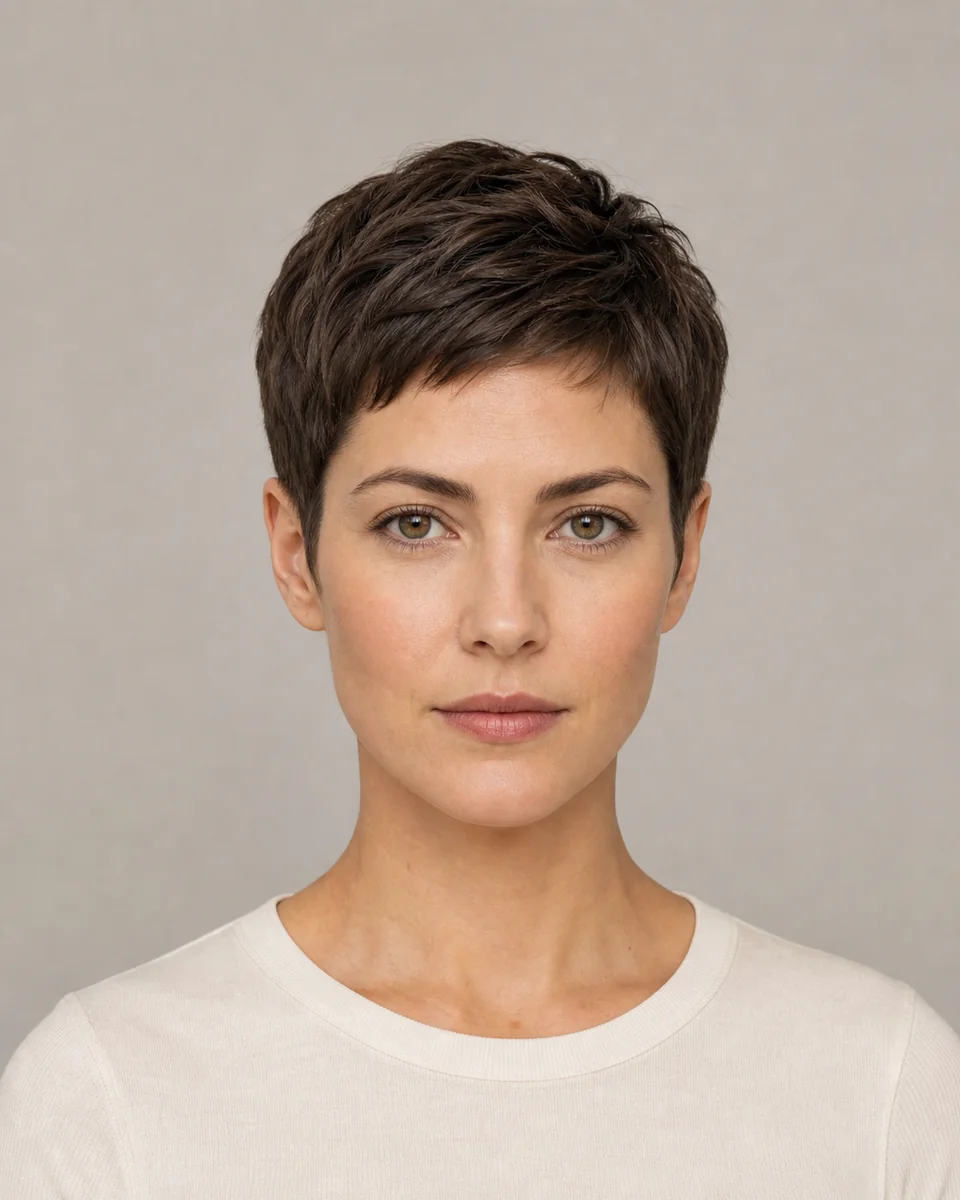 AI edited
Preview a classic pixie cut on your own photo: close sides and back with a slightly longer crown and fringe, ears visible, face unchanged.
This preset is connected to Studio and can create a generation job. The synthetic reference does not claim a real haircut result.
A classic pixie is cut close at the back and sides with a slightly longer crown and fringe, showing the ears and nape. This template keeps a soft, rounded silhouette rather than a spiky one.
Because a pixie removes most length, the preview is most useful for comparing the crown height, fringe direction and how the short outline reads around your hairline.
A pixie keeps clearly longer crown and fringe sections that are styled, while a buzz cut is a uniform clipper length across the head.
The template exposes the ears, so the preview shows how the short outline frames your hairline and ears. Inputs where ears are visible give the most stable result.
Yes. The preview changes the visible hairstyle, but the biggest changes are also the least predictable, so treat long-to-pixie previews as directional only.
No. It shows the short shape, not how often the cut needs maintenance. Ask a stylist about grow-out and styling for your hair type.
COMPARE MORE SHORT HAIR
Use the preview to compare shape, length, part and volume. Ask a stylist how it translates to your current texture, treatment history and maintenance routine.